
What Is IP Subnetting?
Subnetting is the practice of dividing a single IP address range into smaller logical networks called subnets. Rather than assigning every device in an organization to one flat network, subnetting creates boundaries — each subnet operates as its own network segment, with its own network address and broadcast address bookending the usable host range.
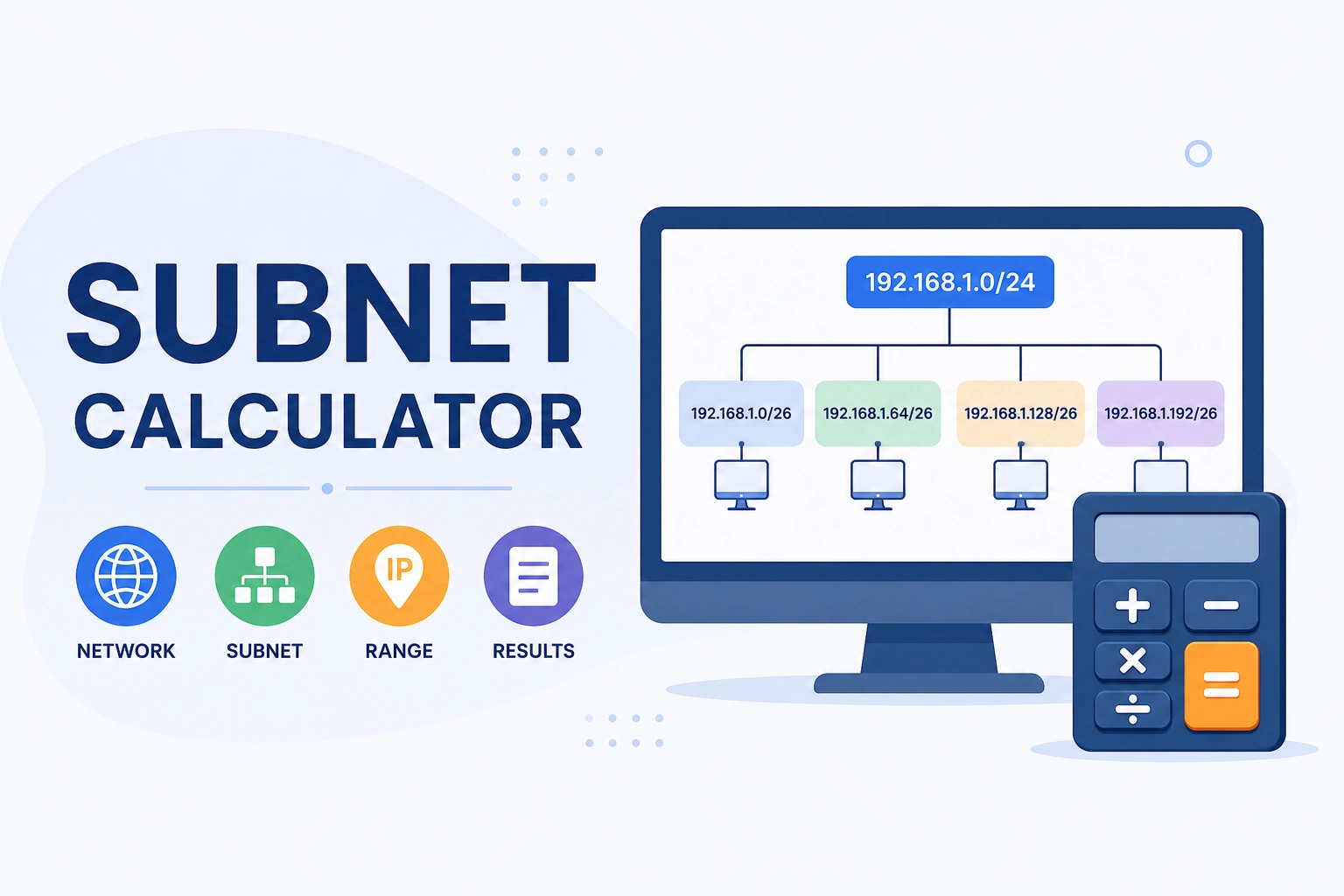
Two things drive subnetting in practice: efficiency and security. A /24 subnet (192.168.1.0 through 192.168.1.255) contains 254 usable host addresses. Splitting it into four /26 subnets gives you four groups of 62 usable hosts each — the same 254 addresses distributed across isolated segments where a broadcast storm or security breach in one subnet doesn't automatically affect the others. Reference: RFC 1918 — Address Allocation for Private Internets
How to Use This Calculator
- Enter an IPv4 address — either a network address (192.168.1.0) or a host address within a network (192.168.1.100). The calculator automatically finds the containing network.
- Select a CIDR prefix (/1 through /32) from the dropdown — or type it directly after a slash in the IP field (192.168.1.0/24)
- Click "Calculate Subnet" to see the network address, broadcast address, subnet mask, wildcard mask, first and last usable hosts, total addresses, and usable host count
- The binary representation panel shows the IP address in binary — blue bits are the network portion, orange bits are the host portion, making the mask's function visual
- For prefixes /24 and smaller (/25, /26, /27…), a subnet division table appears showing all subnets that fit within a /24 block
How Subnetting Works — The Math
Every IPv4 address is 32 bits. The CIDR prefix tells you how many of those bits identify the network versus the host portion. A /24 means 24 bits are network, 8 bits are host — 2⁸ = 256 total addresses, minus network and broadcast = 254 usable hosts.
CIDR Reference Table — Common Prefixes
The most-used CIDR prefixes in real network deployments, with verified host counts. Every "Usable Hosts" figure = 2^(32−prefix) − 2:
| CIDR | Subnet Mask | Total Addresses | Usable Hosts | Typical Use |
|---|---|---|---|---|
| /8 | 255.0.0.0 | 16,777,216 | 16,777,214 | Large ISP, Class A allocation |
| /16 | 255.255.0.0 | 65,536 | 65,534 | Large enterprise, Class B |
| /24 | 255.255.255.0 | 256 | 254 | Standard LAN segment — most common |
| /25 | 255.255.255.128 | 128 | 126 | Split /24 into two halves |
| /26 | 255.255.255.192 | 64 | 62 | Split /24 into four subnets |
| /27 | 255.255.255.224 | 32 | 30 | Small department, VLAN segment |
| /28 | 255.255.255.240 | 16 | 14 | Small office, server cluster |
| /29 | 255.255.255.248 | 8 | 6 | Small device group |
| /30 | 255.255.255.252 | 4 | 2 | Point-to-point router links |
| /31 | 255.255.255.254 | 2 | 0 | P2P links (RFC 3021, no broadcast) |
| /32 | 255.255.255.255 | 1 | 0 | Single host route, loopback |
Private IP Ranges (RFC 1918)
Three address ranges are reserved for private networks and are never routed on the public internet. Any device behind a router using NAT (Network Address Translation) almost certainly has one of these addresses. Knowing the ranges helps immediately identify whether an IP is internal or public:
| Range | CIDR | Total Addresses | Common Use |
|---|---|---|---|
| 10.0.0.0 – 10.255.255.255 | 10.0.0.0/8 | 16,777,216 | Large corporate networks, data centers |
| 172.16.0.0 – 172.31.255.255 | 172.16.0.0/12 | 1,048,576 | Medium enterprises, cloud VPCs |
| 192.168.0.0 – 192.168.255.255 | 192.168.0.0/16 | 65,536 | Home routers, small offices |
| 127.0.0.0 – 127.255.255.255 | 127.0.0.0/8 | 16,777,216 | Loopback (127.0.0.1 = localhost) |
| 169.254.0.0 – 169.254.255.255 | 169.254.0.0/16 | 65,536 | APIPA — auto-assigned when DHCP fails |
If you see a 169.254.x.x address on a Windows or macOS machine, it means the device tried DHCP and got no response — it assigned itself an APIPA address and is unreachable from the rest of the network until DHCP is fixed. Source: IANA — IPv4 Special-Purpose Address Registry
IPv4 Address Classes
Before CIDR (Classless Inter-Domain Routing) became the standard in 1993, IPv4 addresses were divided into fixed classes. Class-based addressing is rarely used today, but the terminology still appears in legacy documentation and some router configurations:
| Class | First Octet Range | Default Mask | Networks | Hosts per Network |
|---|---|---|---|---|
| Class A | 1 – 126 | 255.0.0.0 (/8) | 126 | 16,777,214 |
| Class B | 128 – 191 | 255.255.0.0 (/16) | 16,384 | 65,534 |
| Class C | 192 – 223 | 255.255.255.0 (/24) | 2,097,152 | 254 |
| Class D | 224 – 239 | N/A | Multicast | N/A |
| Class E | 240 – 255 | N/A | Reserved/Research | N/A |
Most home routers use 192.168.x.x (Class C range) because it fits comfortably within the private allocation and the /24 default gives 254 host addresses — enough for any home or small office. Large enterprises and cloud providers predominantly use the 10.x.x.x range (/8) for its 16+ million addresses.
Dividing 192.168.1.0/24 into /26 Subnets
A common real-world scenario: you have a /24 network and need to split it into four equal subnets. Adding 2 bits to the prefix (/24 → /26) creates 2² = 4 subnets, each with 2⁶ − 2 = 62 usable hosts. The calculator's subnet division panel shows this automatically for the input — here's the manual breakdown:
| Subnet | Network Address | Broadcast | First Host | Last Host | Usable |
|---|---|---|---|---|---|
| 192.168.1.0/26 | 192.168.1.0 | 192.168.1.63 | 192.168.1.1 | 192.168.1.62 | 62 |
| 192.168.1.64/26 | 192.168.1.64 | 192.168.1.127 | 192.168.1.65 | 192.168.1.126 | 62 |
| 192.168.1.128/26 | 192.168.1.128 | 192.168.1.191 | 192.168.1.129 | 192.168.1.190 | 62 |
| 192.168.1.192/26 | 192.168.1.192 | 192.168.1.255 | 192.168.1.193 | 192.168.1.254 | 62 |
Four subnets × 62 usable hosts = 248 usable addresses out of 254 available in the /24. The 6 addresses lost are the four network addresses and four broadcast addresses (one per subnet) minus the original /24's two (network and broadcast) that were already consumed. This tradeoff — slightly fewer usable addresses in exchange for network segmentation — is worth it for security and traffic management in most environments.
5 Practical Subnetting Tips
- Count subnet bits, not host bits. To split a /24 into subnets of at least 30 hosts each, work backward: 2ⁿ − 2 ≥ 30 → n = 5 host bits → prefix = 32 − 5 = /27 (30 usable hosts). For 60 hosts: n = 6 → /26 (62 usable). For 120 hosts: n = 7 → /25 (126 usable). Always use the smallest prefix that fits your host count, leaving room for growth.
- Use /30 for all point-to-point router links. A link between two router interfaces needs exactly 2 usable addresses. Using a /24 for this wastes 252 addresses and consumes a subnet unnecessarily. Every inter-router link in a properly designed network uses /30 (4 total, 2 usable) or /31 (RFC 3021, 2 total, no network/broadcast designation).
- 192.168.1.x is the world's most-used private subnet — and that's a problem for VPNs. When a remote employee's home router assigns 192.168.1.0/24 and the office network also uses 192.168.1.0/24, the VPN can't route correctly because both ends look like the same network. Enterprise VPN designs use less common ranges (10.100.x.x, 172.16–31.x.x) to avoid this overlap.
- The wildcard mask is the inverse of the subnet mask — useful for ACLs and routing protocols. If subnet mask = 255.255.255.192, wildcard = 0.0.0.63 (each octet: 255 minus the mask octet). Cisco ACLs use wildcard masks; most subnet calculators show both. The wildcard tells the router which bits to ignore when matching an address.
- VLSM (Variable Length Subnet Masking) lets you right-size each subnet. Instead of giving every segment the same /26, assign /30 to P2P links (2 hosts), /27 to small departments (30 hosts), /25 to large floors (126 hosts), all carved from the same /24. This wastes far fewer addresses than fixed-length subnetting and is standard practice in modern network design.
Reference: RFC 4632 — Classless Inter-domain Routing (CIDR) | IANA IPv4 Special-Purpose Registry